Closing a Share Account in Keystone
In Keystone
- Open a Transaction work area.
- Search for the member or account.
- In the Transaction Type field, enter CL for Close Share/Loan.
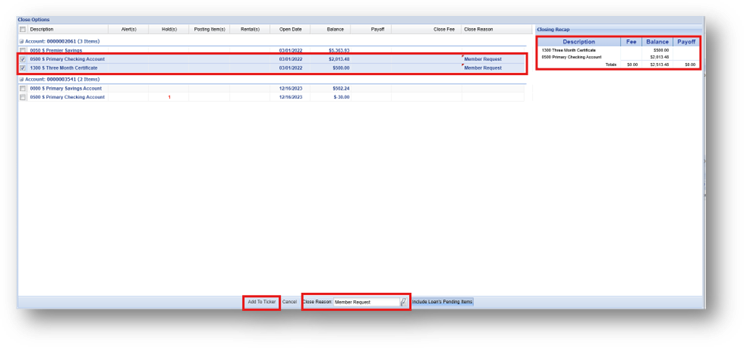
- In the Close Options window, click on the share, loan or credit card, to be closed. To close multiple shares, loans or credit cards, select individually, or, press Control+Shift.
- In the Close Reason field, select or search for the reason. The Closing Recap section displays the total amount withdrawn from the selected share(s) or the total payoff amount required to offset the transaction before closing the loan(s).
- Keystone displays and includes any pending posting items in the payoff amount. You can toggle the Include Loan's Pending Items button to remove or include these items from the payoff amount. It is selected by default.
- Click Add To Ticker.
- Offset the transaction.
- Click Post.