Non – Member Check Cashing
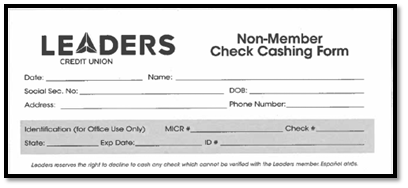 If there is not an existing shell record, the non-member will need to fill out the Non-Member Check Cashing Form
Creating a Shell Record
- Open a Transaction work area
- In the Search field, enter the person’s last name followed by a comma and their first name. For example, McEuen,Cody (Use Correct Capitalization)
- Push Enter on Keyboard or Click Search
- In the Person Search window, Click ‘Insert New’

- Complete the required subrecords listed below for a non-member cashing a check.

- Required:
- Scan ID
- First and Last Name
- Address
- Social Security Number
- Date of Birth
- ID Information – ID Number, Issuing State, Issue & Expiration Date
- Click ‘Insert’
- Once Shell Record is Created – follow steps on the next page under the non-member shell record
Cashing a Check for a Non-Member
- Open a Transaction work area and pull up shell record for non-member
- Check Scan (KS) – follow prompts
- TAB to ticker
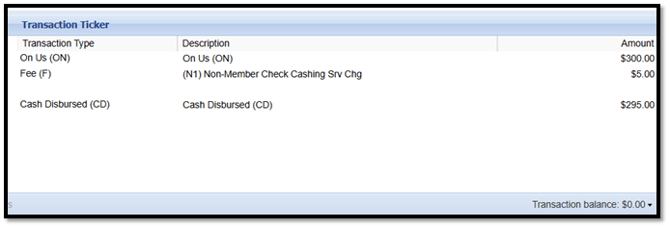
CHARGE FEE IF ON US CHECK EXCEEDS $100
-
- Transaction Type: Fee
- Fee: Non-Member Check Cashing Srv Chg (N1)
- Share or Loan: Other
OFFSET TRANSACTION
-
- Machine Disbursed (MD)