Vault Balancing
- Login using Vault Teller credentials
- Open a posting totals work area
- Use the Search Criteria
- Table: User
- Record: auto populates to user logged in (Ex. Vault18LUB)
- You will see:
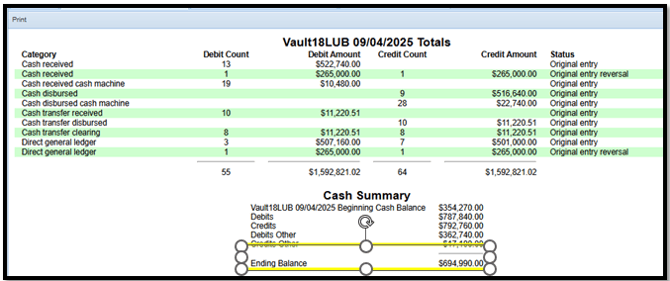
- Vault Totals and Cash Summary on the left (Example A)
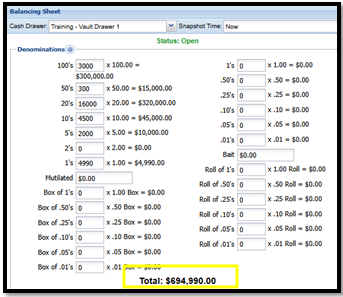
- Vault Balancing Sheet on the right. (Example B)
- Update vault totals in the balancing sheet, if needed.
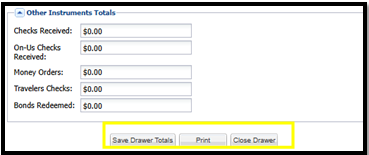
- Click ‘Save Drawer Totals’ at the bottom of the balancing sheet
- Verify the ‘Ending Balance’ in the Cash Summary matches the ‘Total’ on the Balancing sheet
- Print the page by clicking ‘print’ in the top left-hand corner, under search criteria
- Click ‘Close Drawer’ at the bottom of the balancing sheet (Example C)
- Put print out with the End of Day work
You can change the view in between amount and count by clicking the gear icon next to ‘denominations’
Example A
Example B
Example C